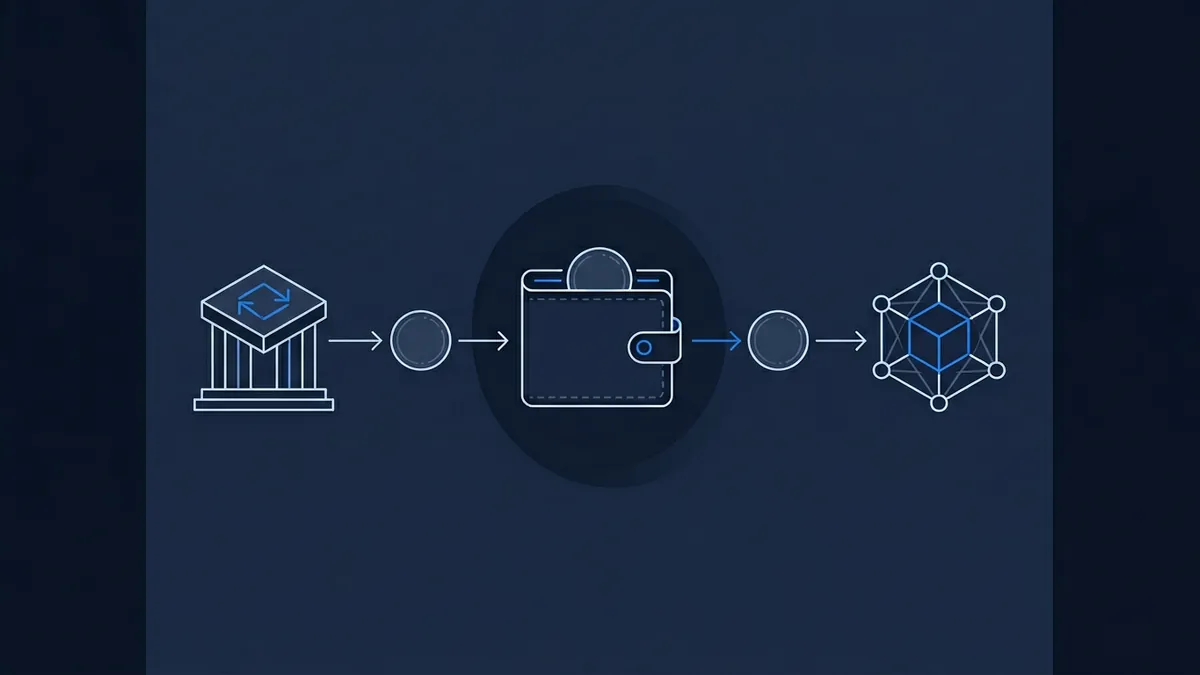
Polymarket does not take dollars. It takes USDC. That single fact catches a surprising number of new traders off guard, because the familiar reference points (a sportsbook signup, a brokerage account, a bank deposit) all break at the first step. You arrive expecting a card form and a confirmation email. You find a wallet prompt instead.
This is a practical walkthrough of what you actually need, in what order, to fund a Polymarket account with USDC from a UK or US starting position. No prior crypto experience assumed. The friction is real, but it is also finite. Once you have done it once, the second time takes ten minutes.
Deposit $20, get $50 to trade
Welcome bonus on the world's largest prediction market.
18+ · New users only · Availability and terms vary by region · Trading involves risk of loss · BeGambleAware.org
What USDC actually is, and why Polymarket uses it
Think of USDC as a digital dollar that lives on a blockchain. It is a stablecoin pegged 1:1 to the US dollar, issued by Circle and backed by reserves of cash and short-dated Treasuries. One USDC is meant to be worth one dollar, today, tomorrow, and on a Saturday at 3am when no bank is open. It trades on every major exchange.
The wrinkle is that USDC exists on several different blockchains, and they are not interchangeable. Polymarket uses USDC on the Polygon network, not the Ethereum mainnet version. Same name, same dollar value, different rails. Confirm the exact token and network on Polymarket's own deposit screen before you send anything.
Why USDC at all? Because it lets Polymarket settle trades through smart contracts, automatically, anywhere in the world, without touching a traditional banking partner. That is the appeal of the model and the source of the setup friction.
What you need before you can fund Polymarket
Three things. A crypto wallet (MetaMask and Rabby are the common free choices, both browser extensions, both fine for this). USDC on the Polygon network sitting in that wallet. And a connection between the wallet and Polymarket, which the site walks you through on first login.
The wallet is the part that feels unfamiliar. It is a self-custody account, which means you hold the keys and Polymarket cannot reset them for you. Write your recovery phrase down on paper, store it somewhere a flood will not reach, and treat it as more sensitive than any password you have set. That is the trade-off for a platform that does not need to know who you are.
The funding pathway, step by step
Three practical routes, ranked by how accessible they are to someone starting from scratch.
Option A: buy USDC on an exchange, withdraw on Polygon. Open an account at an established exchange such as Coinbase, Kraken, crypto.com, or Binance. Pass the identity checks. Fund the account with a bank transfer or card payment. Buy USDC. Then, crucially, when you withdraw to your wallet address, choose the Polygon network from the dropdown, not Ethereum. Ethereum withdrawals are expensive and slow; Polygon is the cheap, fast route Polymarket expects. The withdrawal usually arrives within minutes, occasionally longer if the exchange adds a security hold before releasing the funds.
Option B: buy crypto, swap to USDC on Polygon, then deposit. Some exchanges in some jurisdictions do not let you withdraw USDC directly on Polygon. The workaround is to buy any major asset, send it to your wallet on a supported network, and use a swap interface to convert it into USDC on Polygon. One extra step, slightly more friction, but it gets around platform limits when Option A is closed off.
Option C: use Polymarket's built-in fiat on-ramp. Polymarket integrates a third-party card-payment provider that lets you buy USDC directly inside the platform with a bank card. Simpler, no separate exchange account, but the fees tend to be higher than going via an exchange, and availability varies by country. If you value time over a few percent in fees, this is the path of least resistance.
Exchanges that support direct USDC-on-Polygon withdrawals
Four names cover most of the market for new users: Coinbase, Kraken, crypto.com, and Binance. All four are established, all four list USDC, and all four are commonly used as the on-ramp for sending USDC to Polymarket. Binance support is jurisdiction-dependent, and the caveats are real: UK retail users currently cannot open new accounts because of FCA restrictions, US users have to go through the separate Binance.US platform, and availability varies elsewhere. Check what is actually on offer where you live before signing up.
Which one you pick is mostly a question of which you already trust, which is available where you live, and which has the cleanest withdrawal interface for the Polygon network. None of them is the universally correct answer. They are tools, not endorsements.
The common mistakes new users make
The expensive one is withdrawing USDC on the Ethereum network when you meant Polygon. The funds will eventually arrive, but the gas fee can run into double-digit dollars on a busy day, and the transfer is slow. Polygon costs cents.
The dangerous one is sending USDC on the wrong network entirely, the kind of mistake where your exchange offers a network the destination wallet does not recognise. Recovery is sometimes possible, often it is not. The discipline is simple: get the network right before you press send, every time.
The other tripwires are smaller. Underestimating that even Polygon transactions need a tiny amount of the network's native token to pay gas (most wallets handle this automatically, but it is worth knowing). And forgetting that your Polymarket holdings are self-custody. If your wallet's recovery phrase is lost, the funds are lost. There is no support desk that can reverse that.
The fees to expect
Four layers, three of them modest if you choose the route well. The exchange fee on the initial USDC purchase, typically somewhere in the 0.5 to 1.5 percent range depending on the venue and the payment method. The Polygon network fee to move USDC from the exchange to your wallet, which is normally cents to a small number of dollars, far below an Ethereum-mainnet equivalent. Polymarket does charge a trading fee, and only takers pay it: makers are never charged. It is worked out per share as shares multiplied by a category rate multiplied by the price and by one minus the price, so it is largest on a contract trading near 50 cents and shrinks towards nothing at either extreme. The category rate is 0.07 for crypto, 0.05 for sports, economics, culture and weather, and 0.04 for politics, finance, tech and mentions, which at a 50-cent price works out at roughly 1.75 cents per share on crypto and about 1 to 1.25 cents elsewhere. Geopolitics and world-events markets are the exception and trade fee-free. Polymarket charges nothing to deposit or withdraw, though the trading cost also includes the bid-ask spread, the same way it does on any prediction market where probability is set by order flow. And finally, the cost of converting USDC back to fiat whenever you take profits off.
None of these is large in isolation. Stacked together they cost something, but they are not the structural drag that high-fee retail products carry.

Once you are funded
Once deposited, your USDC is wrapped into pUSD, Polymarket's collateral token, and that pUSD balance is what you deploy on any market on the platform. Place a first trade with the practical mechanics covered in our walkthrough if you want the rest of the user-journey laid out. Withdrawal is the reverse path: Polymarket back to your wallet, wallet to exchange, exchange to your bank in fiat. Each step takes minutes; the slow part is usually the bank.
The friction at the start is real, but it is not designed against new users. It is the structural consequence of Polymarket being a crypto-native platform operating globally rather than a domestic sportsbook with bank rails. The platforms that make funding easier, Kalshi's USD deposits or a UK exchange's standard card flow, trade off the global reach and decentralised settlement that make Polymarket what it is. Once the wallet is set up and the first deposit has cleared, the ongoing experience is the same as any other trading interface. You only pay the setup tax once.
iPredicta is the UK-based discovery platform that tracks prediction market contracts across Polymarket, Kalshi, and the regulated UK exchanges, with the editorial and educational material to help readers understand the mechanics underneath. Funding a wallet is the price of admission to one specific venue; understanding what the prices on it actually mean is the work that follows.
Frequently asked questions
Which USDC does Polymarket use?
Polymarket uses USDC on the Polygon network, not the version of USDC that lives on Ethereum mainnet. They share the same name and the same dollar peg, but they sit on different blockchains and are not interchangeable in transit. The safest move is to open Polymarket's deposit screen, read which token and which network it specifies, and match that exactly when you withdraw from an exchange. Most major exchanges show Polygon as a dropdown option alongside Ethereum and other networks; pick Polygon. The transfer is normally cheap and usually arrives within minutes. Confirming the deposit screen before each withdrawal is a habit worth keeping, because platforms occasionally update which versions they accept.
Can I fund Polymarket with a UK bank card without holding crypto first?
Yes, through Polymarket's built-in fiat on-ramp, which is provided by a third-party card-payment partner integrated into the site. You enter card details inside Polymarket, the provider sells you USDC on the correct network, and the balance lands in your account. The trade-off is cost: the on-ramp fees are usually higher than the equivalent route through an established exchange, and availability depends on the card issuer and jurisdiction. UK users sometimes find their bank blocks crypto-related card payments by default; you may need to enable them in your banking app. For occasional, smaller deposits the simplicity is worth the markup. For larger or repeated funding, going via an exchange is usually cheaper.
What fees should I expect when using stablecoins on a prediction market?
Three layers, two of them modest. The exchange fee on the initial USDC purchase typically falls in a 0.5 to 1.5 percent range depending on the venue and whether you pay by bank transfer or card. The Polygon network fee to send USDC from the exchange to your wallet is usually cents to a small number of dollars, dramatically cheaper than Ethereum mainnet. Polymarket does charge a trading fee, and only takers pay it: makers are never charged. It is worked out per share as shares multiplied by a category rate multiplied by the price and by one minus the price, so it is largest on a contract trading near 50 cents and shrinks towards nothing at either extreme. The category rate is 0.07 for crypto, 0.05 for sports, economics, culture and weather, and 0.04 for politics, finance, tech and mentions, which at a 50-cent price works out at roughly 1.75 cents per share on crypto and about 1 to 1.25 cents elsewhere. Geopolitics and world-events markets are the exception and trade fee-free. Polymarket charges nothing to deposit or withdraw, though the bid-ask spread is a cost on top, as it is on most order-book venues. If you later convert USDC back to fiat, expect the same exchange-fee layer on the way out. Stacked, the round trip costs something, but it is not the heavy drag retail products usually carry.
What happens if I send USDC on the wrong network?
It is a serious risk to your funds and the single most common expensive mistake new users make. Sometimes the funds are recoverable through a support process at the receiving exchange or wallet provider; often they are not, particularly if the destination chain does not recognise the asset at all. There is no universal undo button on blockchain transactions. The practical defence is procedural rather than technical: before you press send, check the network dropdown on the sending side matches what Polymarket's deposit screen specifies, and check the wallet address character by character. Do a small test transfer first if the amount is significant. Two minutes of double-checking is the cheapest insurance available.
iPredicta may earn a commission if you sign up via partner links on this page. This does not affect our editorial coverage or recommendations.